Every AI agent. Every task.
One place to see it all, and approve it.
You use Claude for one job, ChatGPT for another and Cursor for code. Now see all their work in one place: each task's status, how long it took, how good it was, the results to download, and what needs your yes. Approve or give instructions right there, without going back to each chat.
No card needed for the trial. Cancel any time.Be first in line. We e-mail you when it opens, with early-access news.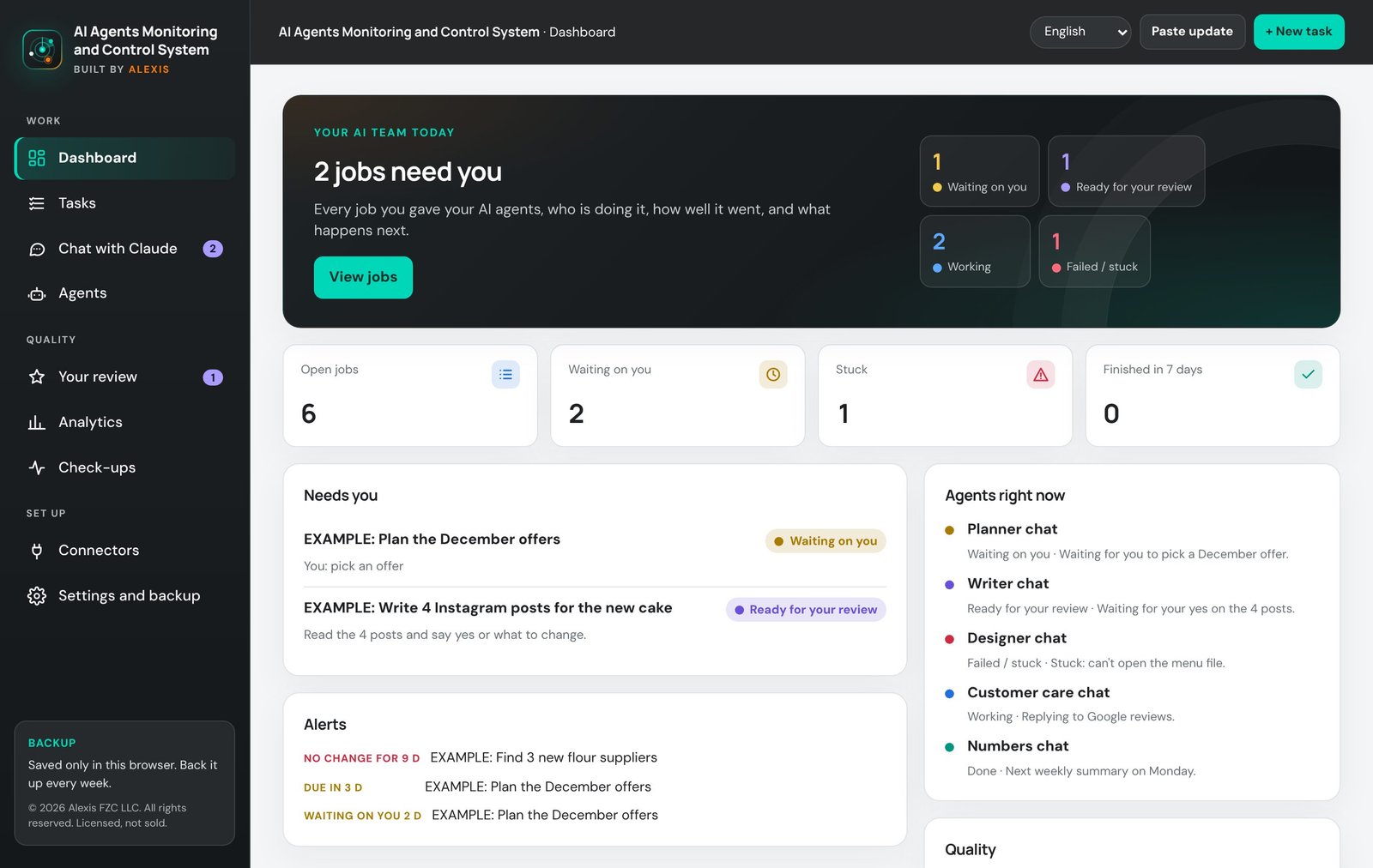
Example screen with fake (example) data.
Your AI team works in 5 different windows. You can't see any of it.
Each AI keeps its work in its own chat. Nobody tells you what's stuck, what's waiting on you, or which agent does the best job.
- ❌ Tasks get forgotten in old chats
- ❌ You find out something was stuck days later
- ❌ You don't know which AI is worth paying for
- ❌ An agent changes another agent's work by mistake
- ✅ With the system: one list, live status, times, scores, results, your approvals, and a lock so each agent can only change its own tasks
Everything you need to manage an AI team
Built by ALEXIS, a Dubai business consultancy with 30 years in business and 6 years in AI, for people who give real work to AI.
Live dashboard
What needs you today, what's working, stuck or finished, with alerts for overdue or forgotten tasks.
Sorted by real project
See tasks by the client, business or product they serve (not the chat they were written in), by AI and agent, by status, or by start date.
Time on every task
Total time, working time, time waiting on you, time in review and stuck time. Also shows on-time tasks and tasks right first time.
Agent analytics
Which agent performs best, which skills need work, and productivity across all your AIs side by side.
Ownership lock
Each agent gets its own ID and key. Claude can't edit ChatGPT's tasks, and ChatGPT can't edit Claude's.
Connect any AI
Pick your AI's logo, paste its API key and copy the ready instructions into its brain or skill. Works with Zapier, Make, n8n and the API.
Review and quality score
Rate each task Good or Not good and say why. Your AI reads it and improves next time.
AI check-ups
Your AI finds stuck, overdue and wrong-status tasks and fixes its own ones.
Instructions and approval
Tap Yes, No, or write instructions on any task. You choose how often your AI picks them up: every 30 minutes, every hour, every morning or every evening.
Chat with your AI
Ask "What is waiting on me?" or "Tell the website job: yes, go ahead" from inside the dashboard.
Results to open and download
Finished tasks show an Open result link and Download buttons for every file.
9 languages
English, Français, Deutsch, Español, Português, Русский, العربية, 中文 and Română.
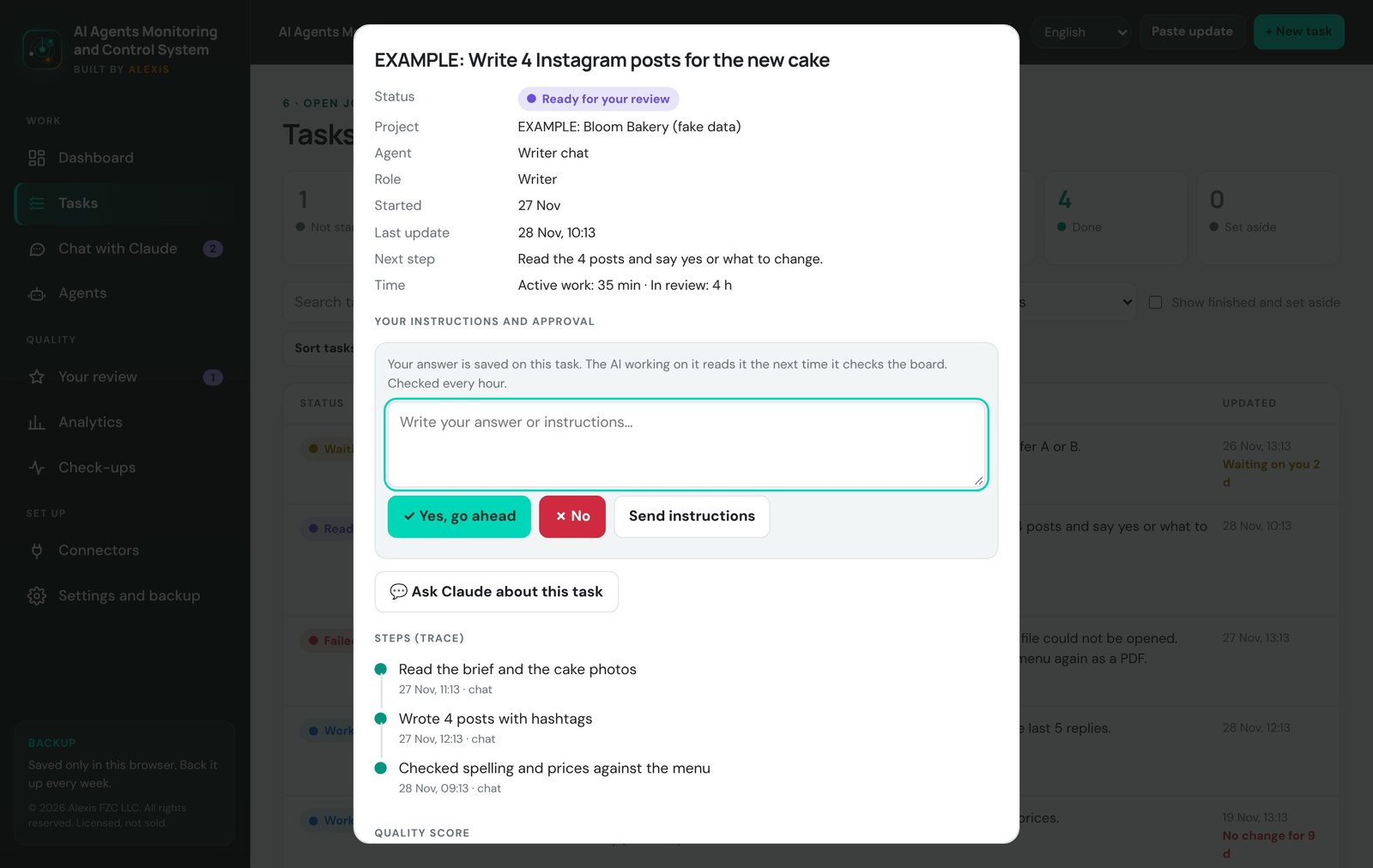
Approve, refuse or instruct, from one screen
Every job waiting on you shows a clear answer box. Your answer is saved on the task, and your AI acts on it at the time you chose. You can always answer in the AI chat too.
- Yes, go ahead / No / your own instructions
- Choose: every 30 minutes, every hour, every morning or every evening
- Full history of who said what, and when
Know which agent is worth it
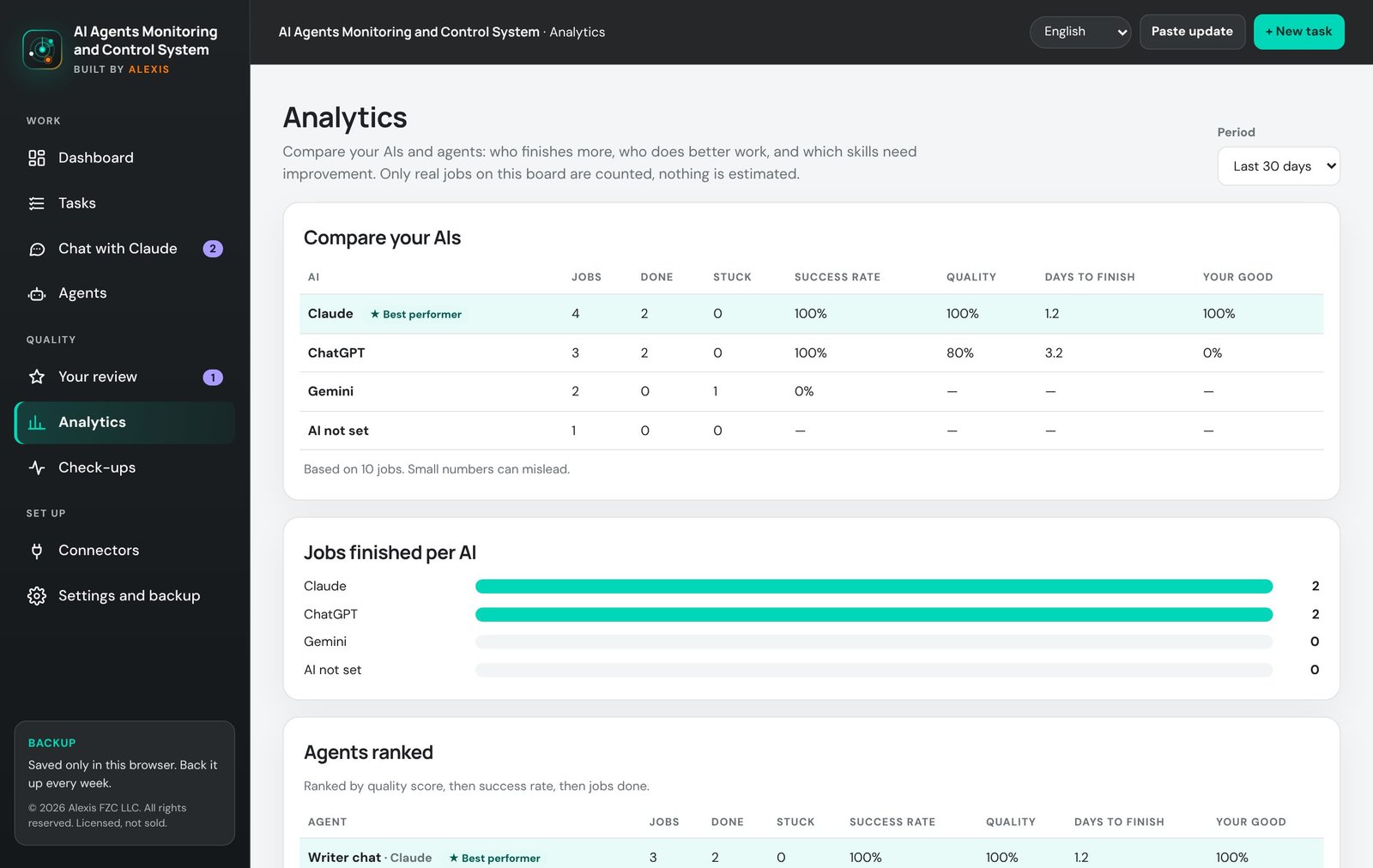
Compare your AIs and agents side by side: jobs done, success rate, quality score, time to finish, time waiting on you, reworks and errors.
- 7, 30 or 90 days, or all time
- Where the time goes, and which skills need work
- Quality score on 5 honest checks
Up and running in 10 minutes
Start your free trial
Join early access
Create your account and copy your licence key. No card needed.
Leave your e-mail. When it opens, you get your account and licence key.
Open the board and connect your AIs
Use it online or download it to your computer. Click each AI you use and paste the ready instructions once.
Watch the work come in
Every agent posts its tasks, status and what it needs from you. You approve, rate and stay in control.
Simple monthly plans. Start free for 14 days.
Prices are announced when it opens. Early-access members hear first.
Prices in USD. No VAT charged. Payments are taken securely by PayPal (PayPal balance or card). Cancel any time: your board keeps working until the end of the time you paid for, then becomes read-only, so you can still see and export everything. A numbered PDF invoice is e-mailed after every payment.
Frequently asked questions
Which AIs does it work with?
Claude, ChatGPT, Gemini, Microsoft Copilot, Cursor, Mistral, Grok, DeepSeek, Perplexity, local models like Llama, and any AI that can follow written instructions or call an API. Automations work with Zapier, Make and n8n.
Do I need a card for the free trial?
No. The trial lasts 14 days. We e-mail you 3 days before it ends. If you don't subscribe, the board becomes read-only and you keep all your data.
Can I use it on my computer without the internet?
Yes. The downloaded board works offline. It checks your licence about once a day and keeps working for 7 days without the internet.
Where is my data stored?
On your own device. Only the licence check and simple counts (number of agents, tasks, AIs connected and pages opened) reach our server. These help us improve the product. We never receive task content.
Can one agent change another agent's work?
No. Each agent has its own ID and key, and the board only lets an agent change tasks it owns. Only you can reassign a task.
Do I get an invoice?
Yes. After every payment you get a thank-you e-mail and a numbered PDF invoice from Alexis FZC LLC. You can also download all invoices from your account page.
How do I cancel?
Open your account page and press "Cancel subscription". It takes one click. Your board keeps working until the end of the time you already paid for.
Refunds?
You can try everything free for 14 days before paying. The full refund terms are published before paid plans open.

Take control of your AI team
14 days free. No card needed. Set up in 10 minutes.
Join early access and be first in line.
Start free trialBUILT BY ALEXIS